VibeCoder icon VibeCoder Vibecoder quotes

Vibe-coding with AI agents
right on top of your code

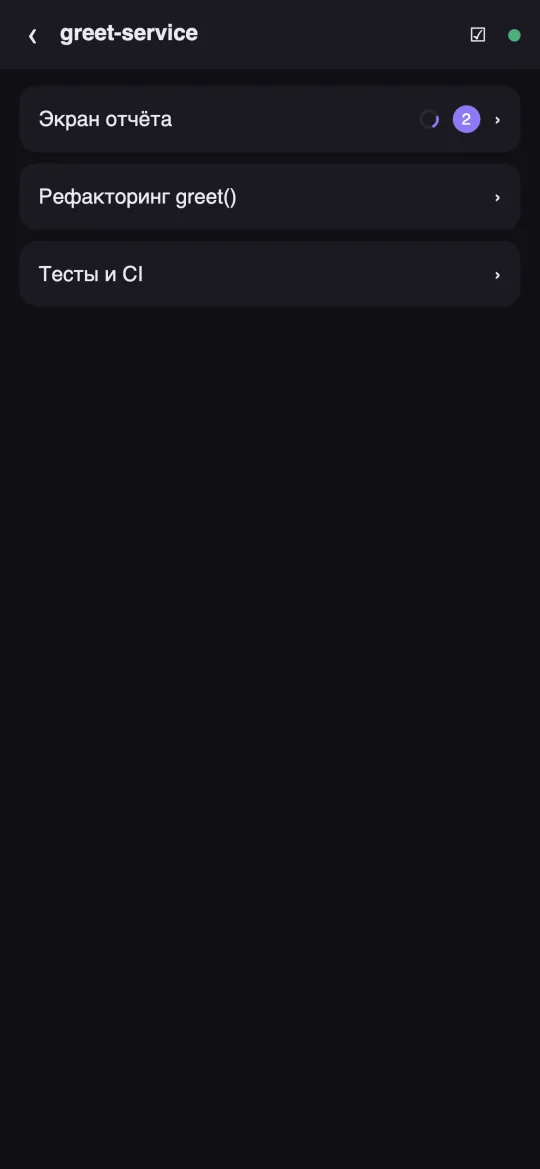
VibeCoder is a desktop app that turns the Claude Code, Codex and Koda CLI agents into a comfortable chat over your code folders. Describe a task — the agent does it.

Current version: 1.1.23 · macOS · Windows · Linux

Free. No ads, no trackers — everything runs locally.

What VibeCoder can do

💬

Chat with CLI agents

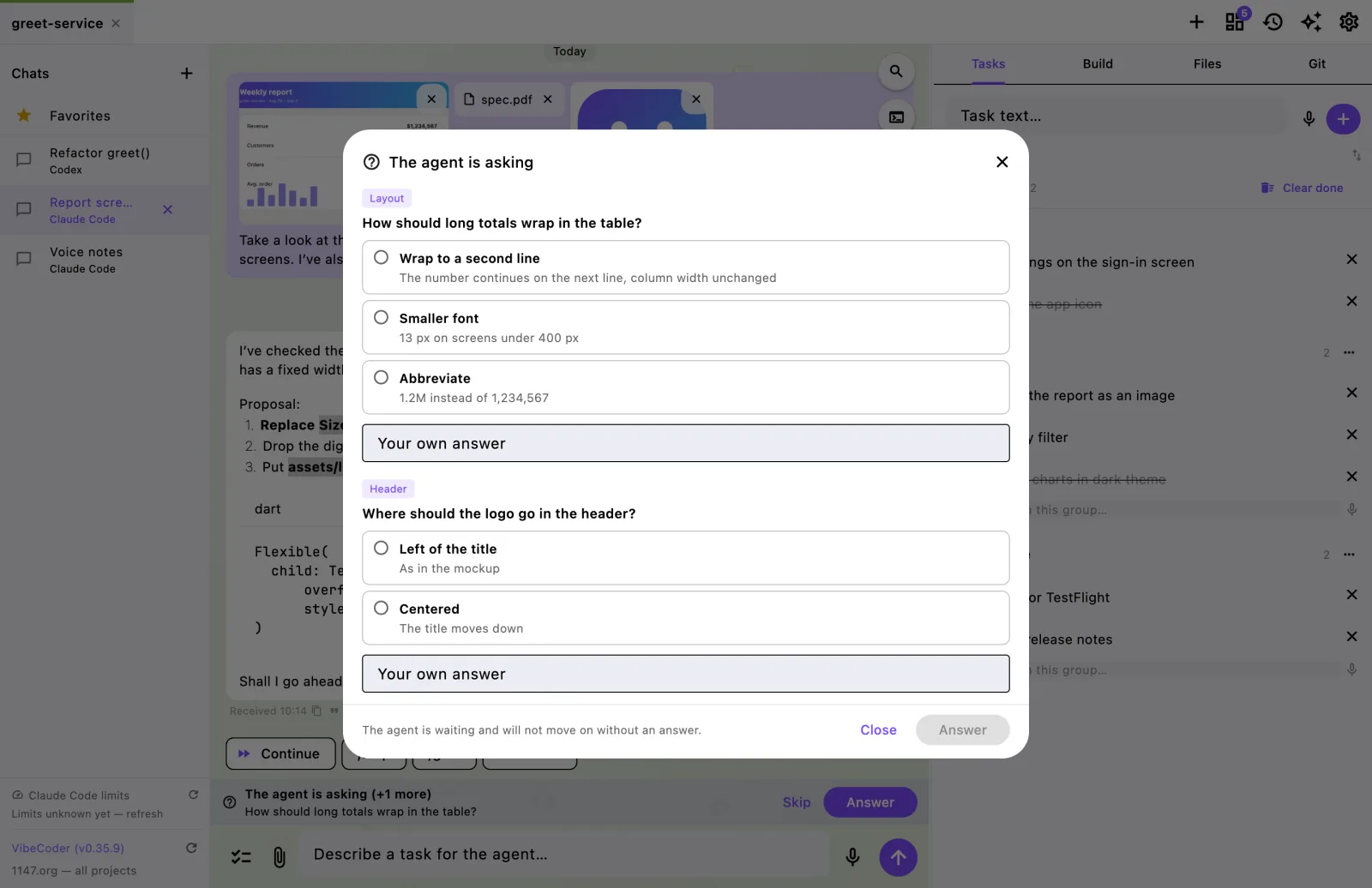
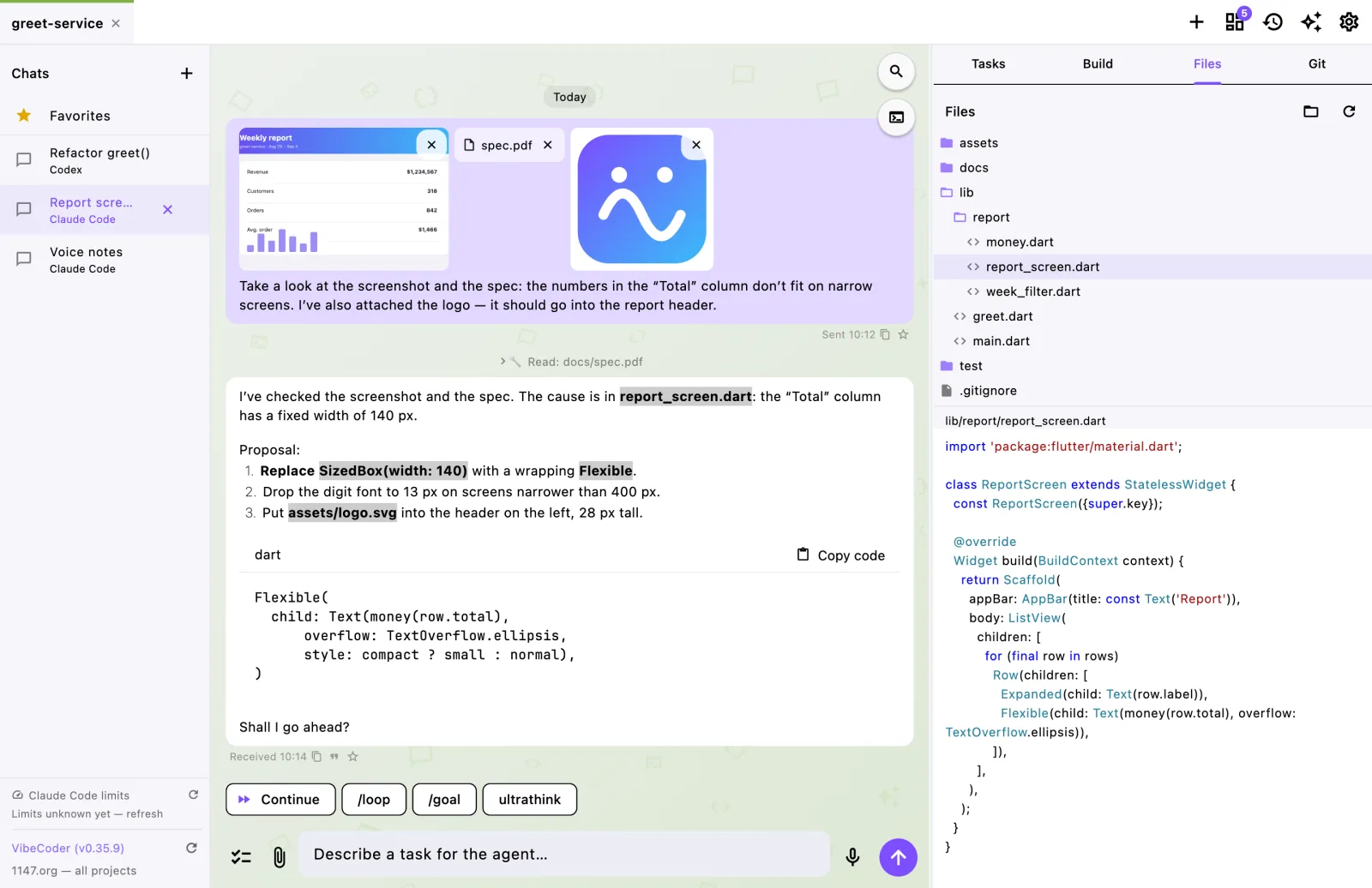
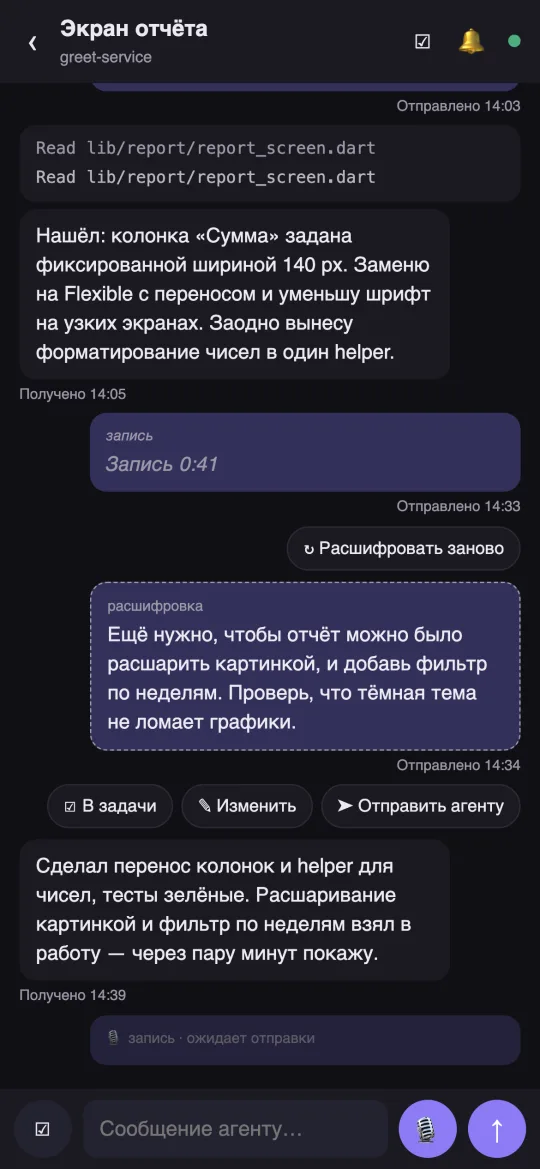
Claude Code, Codex and Koda run inside your project folder. Multiple chats per project, markdown answers with code, tool calls with timestamps, a Stop button. When the agent needs a decision it asks right in the chat — options with explanations, your own answer, several questions in a row.

📎

Attachments: images, PDFs, files

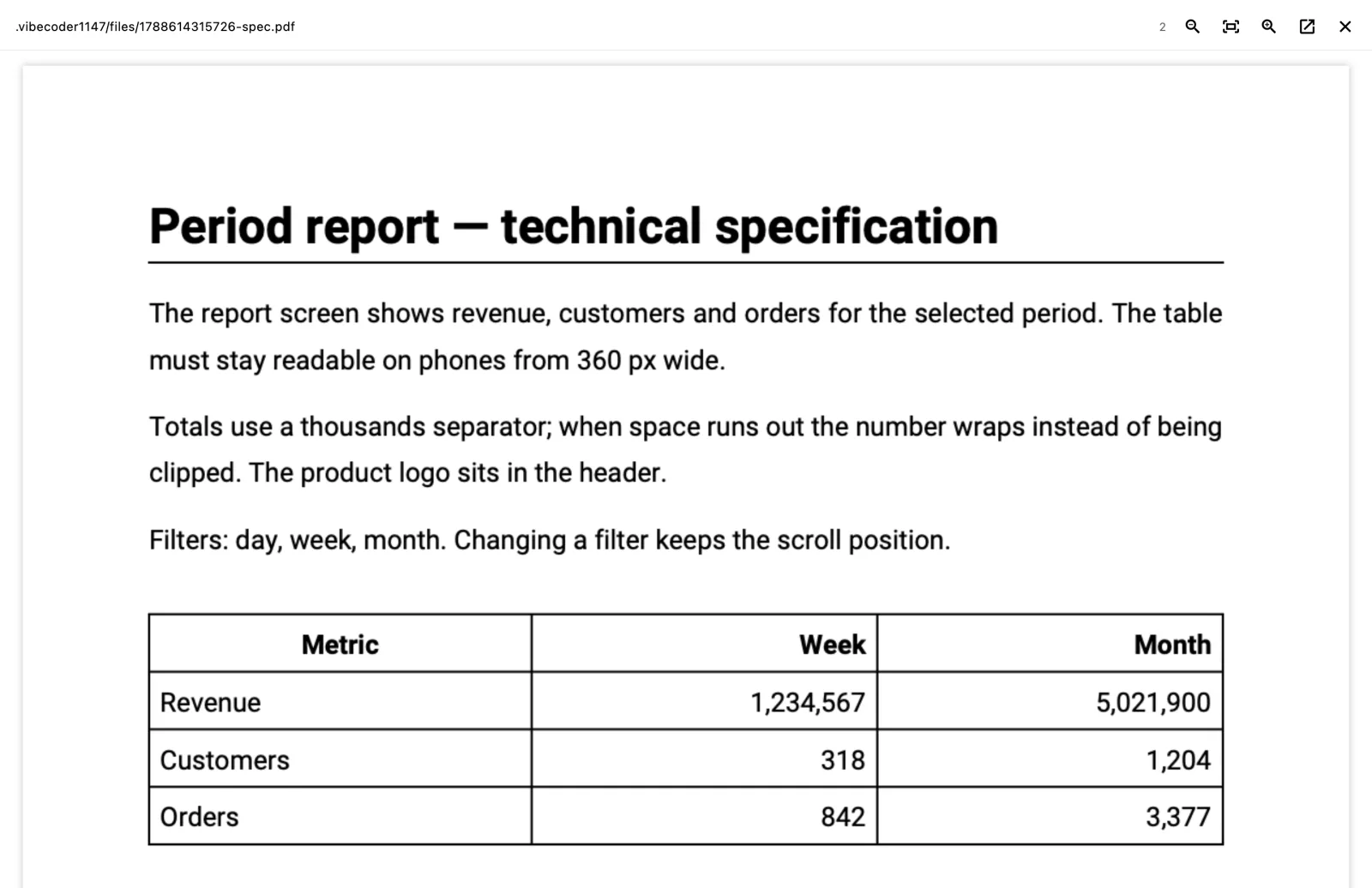
Drop a screenshot, a document or any file onto the chat window — the agent reads it. Images and SVG show as thumbnails, PDFs open page by page inside the app, and any file opens in the same viewer as the Files section.

🎙

By voice

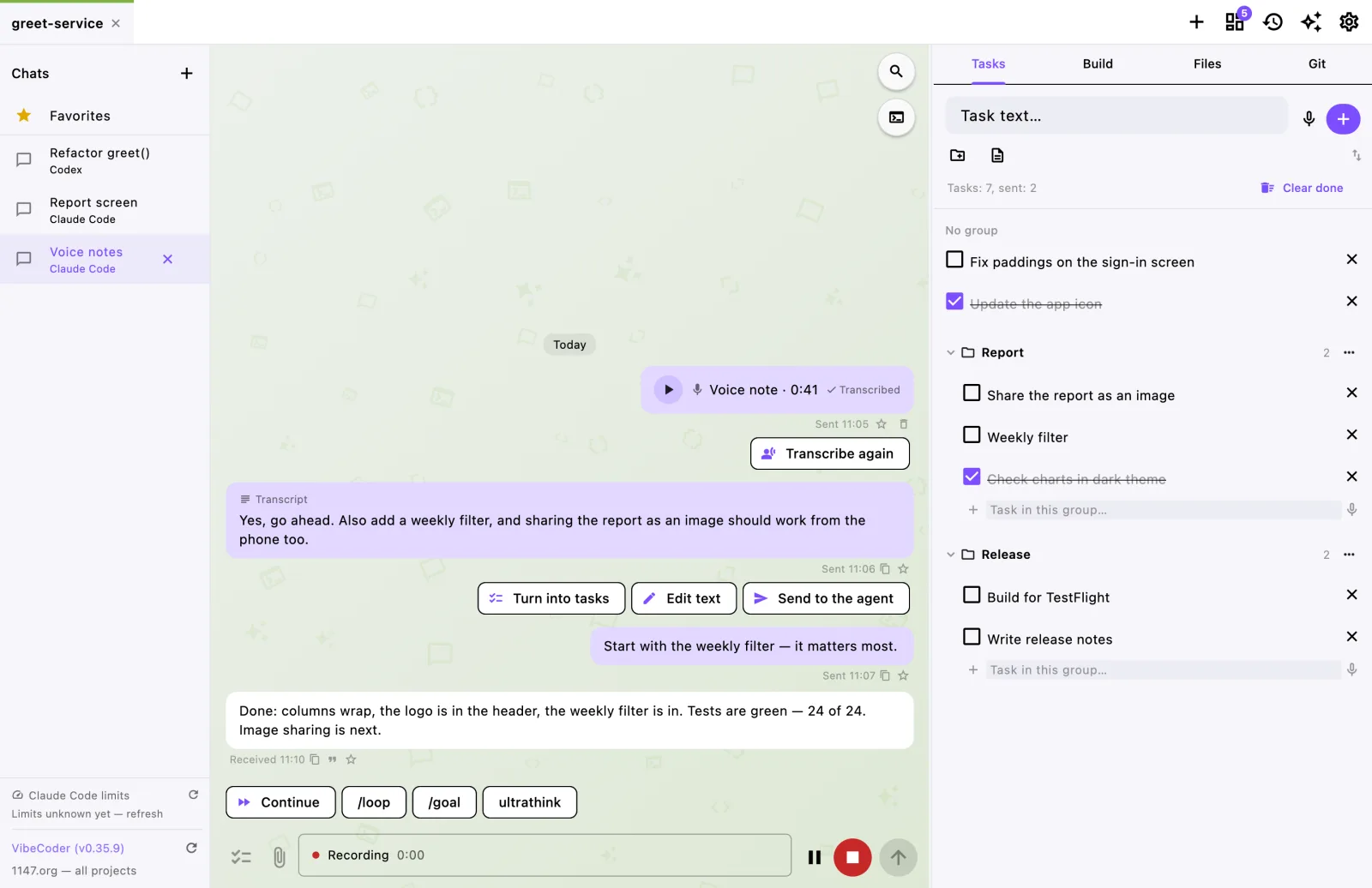
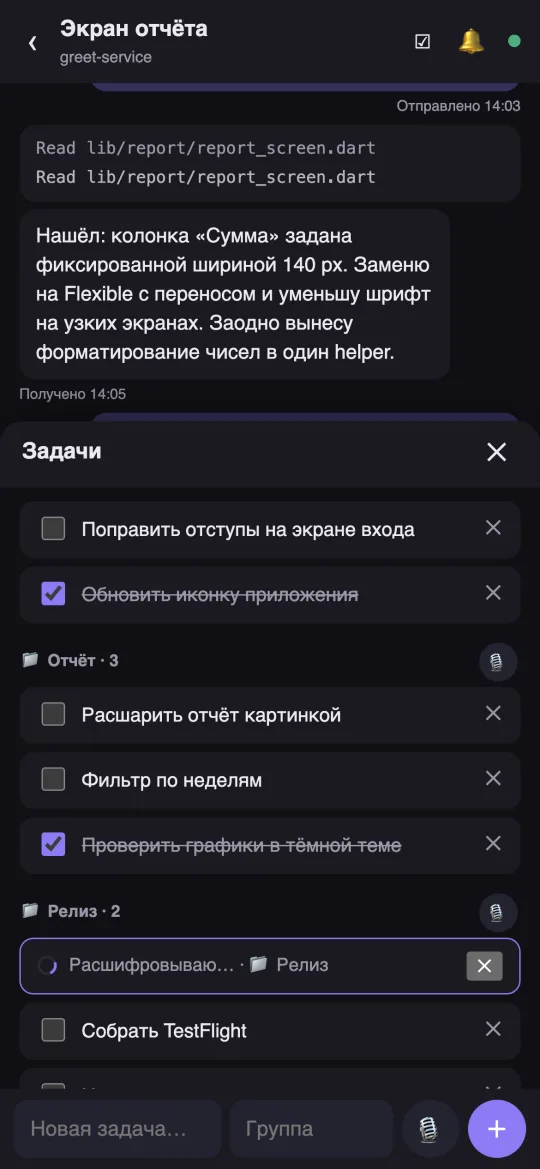
A microphone in the chat and in the task list. Recordings are transcribed locally (whisper.cpp); the transcript can be edited, sent to the agent or turned into tasks with one click — straight into groups.

📱

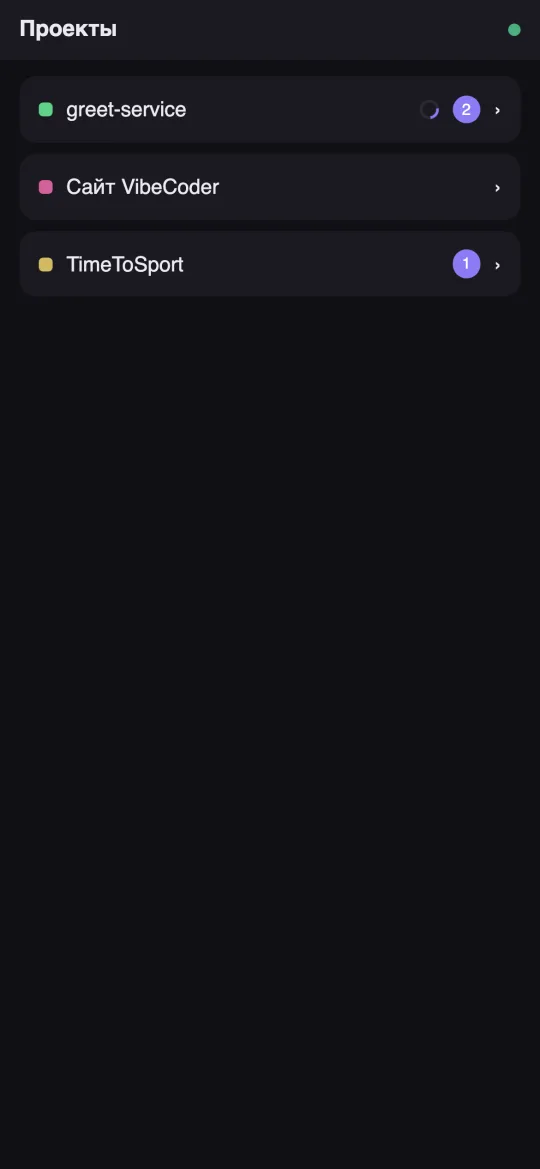
Phone companion

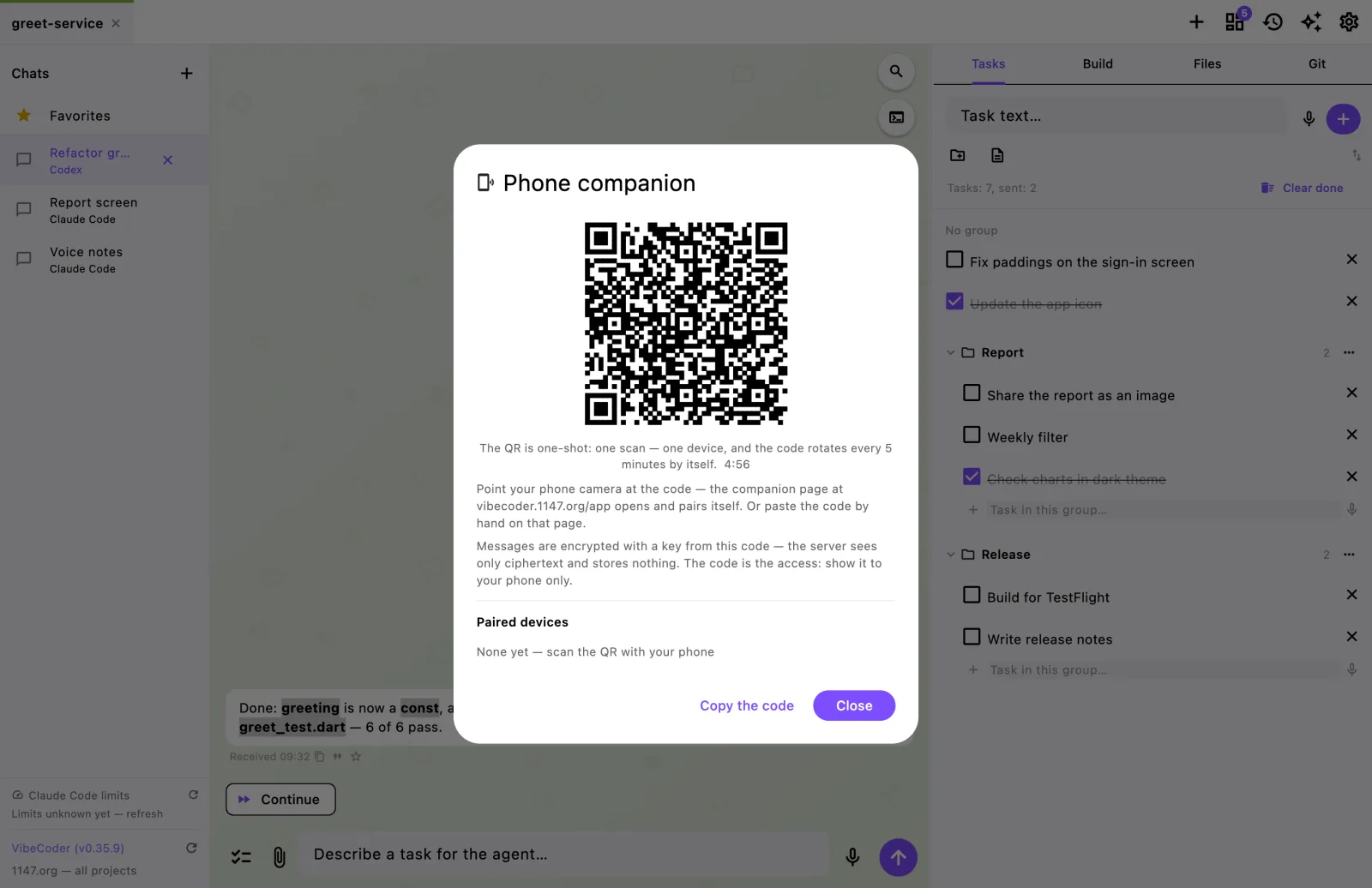
Pair your phone with a QR code and read answers, write and dictate to the agent, edit tasks from your pocket. End-to-end encrypted: the server sees only ciphertext and stores nothing. A bell on a chat means a push notification when the agent answers; dictated notes wait in a queue until you are back online.

📂

Projects as tabs

Every code folder is a project with its own color stripe (11 colors). Switch between projects like browser tabs while agents keep working in the background.

✅

Deferred tasks

Collect ideas and fixes in a task list with groups, then check the ones you need — they go to the agent as a single message. If the agent is busy, the batch is sent as soon as it is free.

⏰

Auto-resume after limits

VibeCoder catches the “session limit · resets …” message, waits for the limit reset and sends the “Continue” word by itself — the work is done by morning. The word is configurable.

✨

Skill store

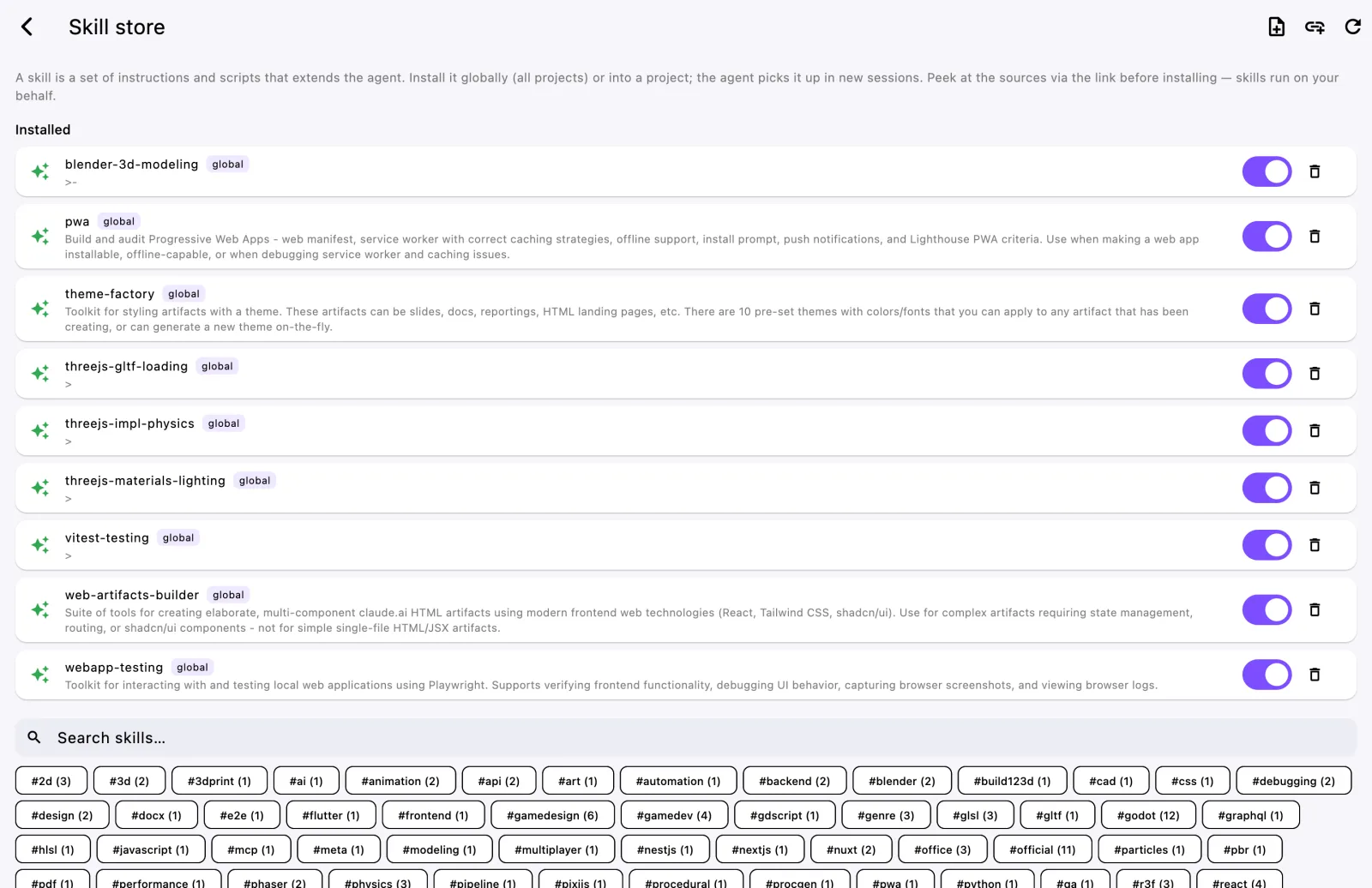
A skill is a folder with instructions the agent picks up on its own when the task calls for it: how to build a PWA, how to write shaders, how to fix failing tests. The store holds 85+ ready-made skills with search and tags — one click installs a skill globally or into the current project only, and a switch turns it on and off. You can also create your own skill from the app and submit it to the shared catalog.

📝

Simple IDE

Project file tree, viewing and editing with syntax highlighting, in-file search, images, SVG and PDF — quickly check what the agent changed and fix a couple of lines without switching to an editor.

🌿

Real-time git

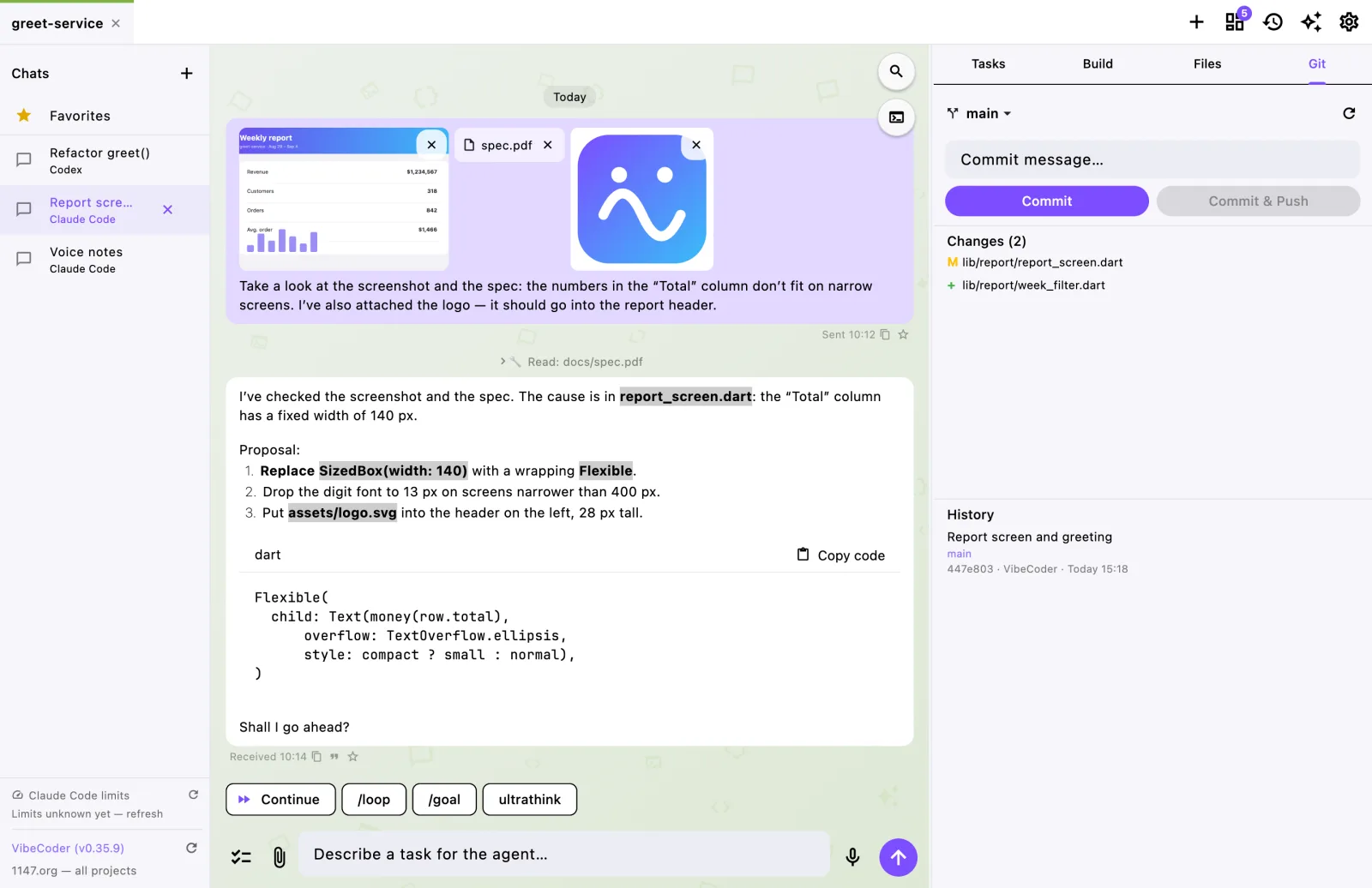
Branch changes are visible instantly, VS Code style: file list, commit history and a one-click “Commit & Push” button.

🔄

Updates itself

When a new version is out, the app tells you and updates in one click on macOS, Windows and Ubuntu — no reinstall.

🔒

Fully local

Chats, attachments, recordings and tasks are stored in the .vibecoder1147 folder inside your project. No servers, no trackers, no ads. English and Russian, dark and light themes.
Learn more

FAQ

What is VibeCoder?

A desktop app for vibe-coding: a friendly chat on top of the Claude Code, Codex and Koda CLI agents and a local LM Studio model. The agent works right in your project folder — it reads and edits code and runs commands, while you give tasks by text or voice and see every step it takes.

Is VibeCoder free?

Yes, the app is free. It does not replace the agents, it runs them: Claude Code needs your Claude subscription or API key, Codex needs an OpenAI account. A local model via LM Studio works with no subscription and no internet.

How is this better than Claude Code in a terminal?

Same agent, human interface: projects and chats as tabs, agent permissions as buttons, voice dictation, image and PDF attachments, history and search over conversations, pause and auto-continue after limits, and tasks, files and git right next to the chat.

Can I work with a local model, without the cloud?

Yes. Start the server in LM Studio and enter its address in settings once. The local model works with the project just like cloud agents: it reads and searches files, edits them and runs commands — with your permission. You need a model with tool use support.

Where are my chats and code stored?

Only on your computer: conversations live in the project folder and code is never uploaded. The phone companion relay only forwards encrypted messages and cannot read them.

Which systems are supported?

macOS (Apple Silicon), Windows x64 and Linux x64 — dmg, exe and deb installers plus portable archives. The app updates itself.

Latest changes

1.1.23 —

  • Voice notes on macOS no longer turn into gibberish. Sometimes macOS recorded the sound correctly but wrote the microphone's format into the file header (“48 kHz float”, or “24 kHz” with AirPods), and transcription heard only noise. About 6% of recordings were affected. The header is now checked and fixed after recording, before transcription and before playback; the sound itself is left as is. Old broken recordings are fixed by “Transcribe again”
  • Transcription on macOS no longer cuts off the last words: the second of silence at the end of the transcription copy is now added to recordings macOS saves in the “extensible” WAV format — that is, to all of them

1.1.22 —

  • On macOS the project folder picker now has a “New Folder” button: start a new project right there without opening Finder. The picker opens next to the current project, so the new folder lands where the others are

1.1.21 —

  • Typing a path to another project is easier: type ~/ in the chat field and the folders of your home folder appear above it. Start a name to narrow the list (case does not matter: “live” finds LiveProject). The right arrow or Tab inserts the folder and shows what is inside, ↑↓ choose, Esc hides the list

1.1.20 —

  • The app no longer “hits the limit” when there is no limit. If the agent mentioned Claude Code’s limit message in a normal reply — say, describing a screenshot or a video — the app took the quote for a real limit and scheduled “Continue” for the next morning. Now only Claude Code’s own notice counts as a limit: a short service line that the CLI marks as its own

1.1.19 —

  • In the English interface the countdown to the limit reset used Russian letters: “Sending “Continue” in 3ч 12м”. Time units now follow the interface language — “3h 12m”

Full change history →